MultiRec records up to 8 SDI and NDI sources at once, each to its own file and locked to one shared master timecode. Built for live production, where reliability matters.
These features come from years of experience in live production, each one shaped by what we've learned on real shows.
Up to 8 inputs
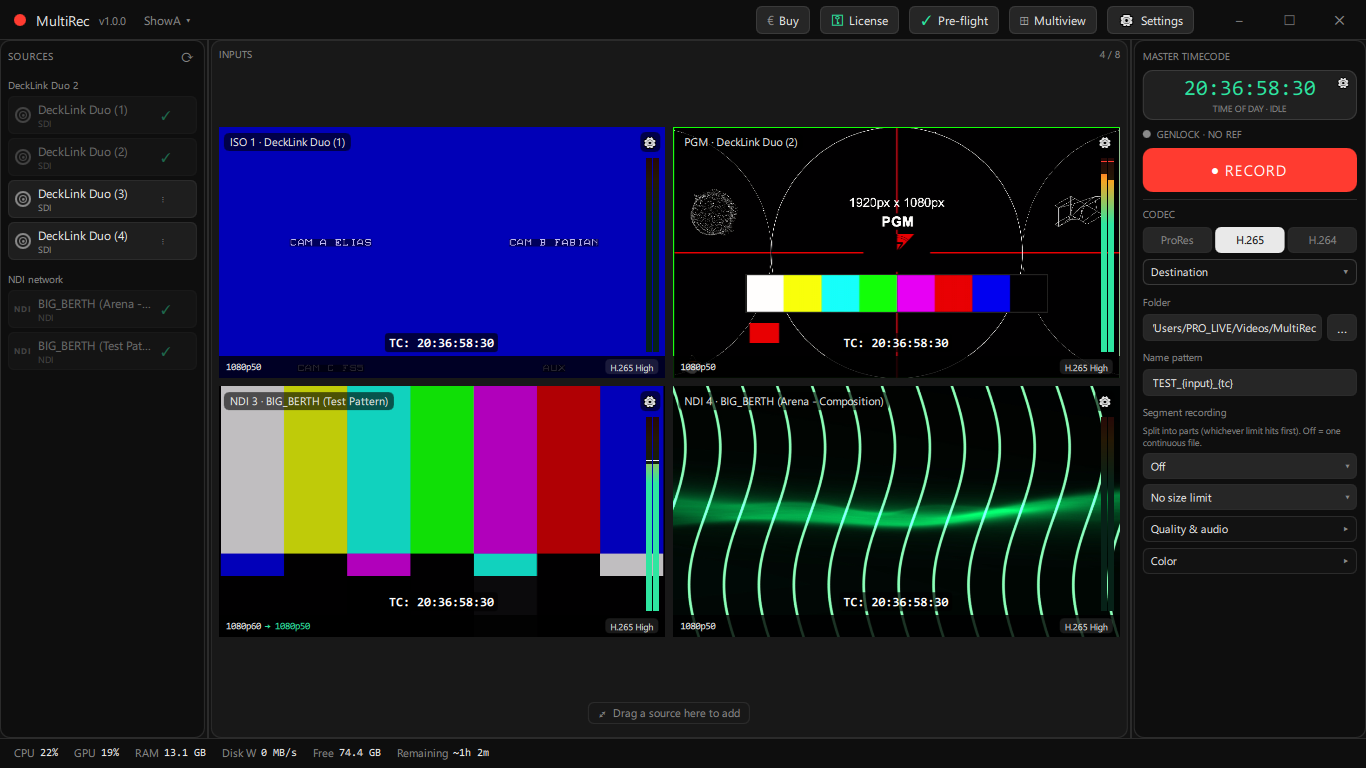
Mix Blackmagic DeckLink SDI and NDI sources. Each one records to its own file from its own encoder process, so trouble on one feed can't touch the others.
Frame-accurate timecode
Every file carries the same master timecode, so your clips line up the moment they hit the timeline. If a frame is dropped, MultiRec fills it instead of shortening the clip, so sync never drifts over a long take.
Survives a crash
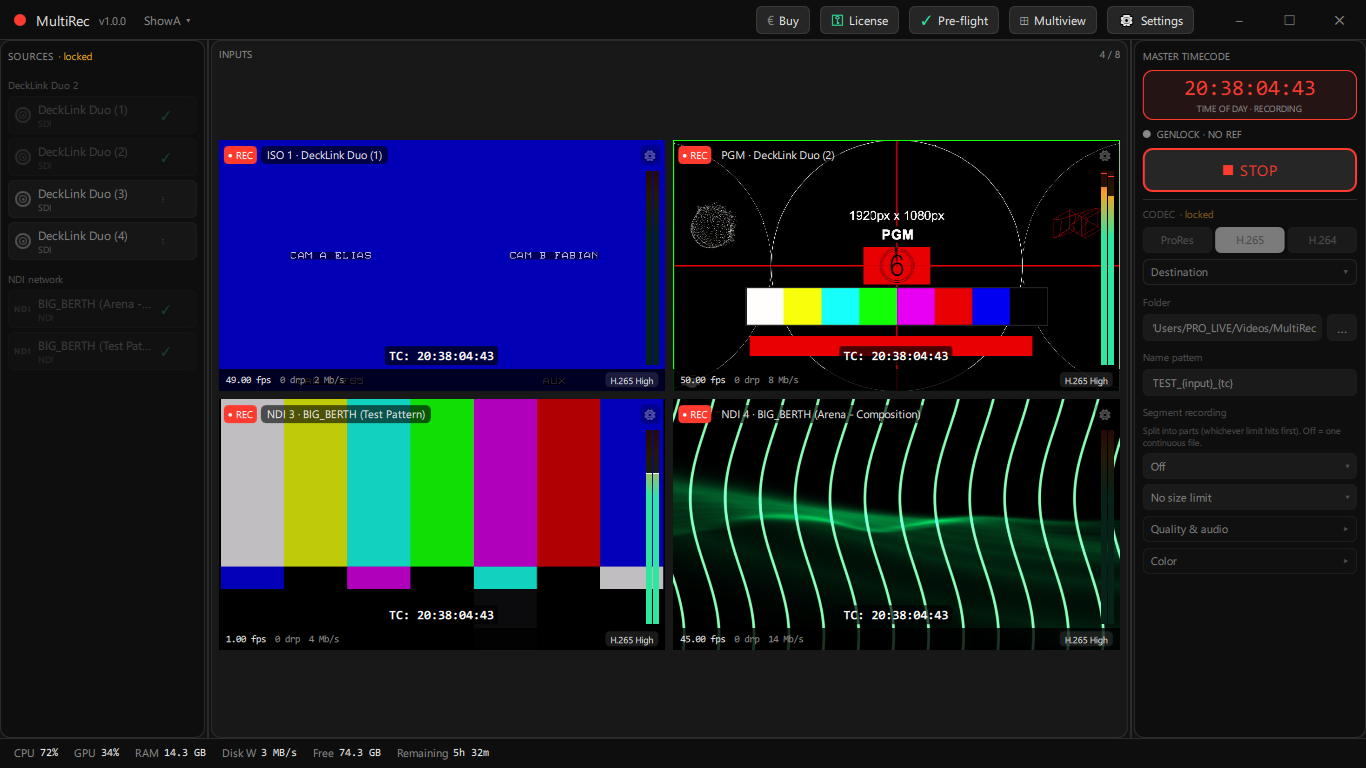
A watchdog restarts any encoder that crashes or hangs. Files stay playable even after a power loss mid-take, so a single failure never costs you the whole recording.
ProRes & NVENC
ProRes runs on the CPU; H.265 and H.264 run on the GPU through NVENC. Set the codec and quality per input, and mix CPU and GPU feeds in the same session to spread the load.
16-channel PCM audio
Up to 16 channels of embedded PCM audio, lossless and muxed straight into the file, in sync with picture.
Color pipeline
Set the color metadata per file: primaries, transfer (gamma), matrix and range. Footage lands in the grade tagged correctly, not guessed at.
Scale & frame-rate convert
Up- or down-scale and convert frame rate per input. Normalize all feeds to one rate and resolution so timecode and sync hold across every clip.
Editable multiview
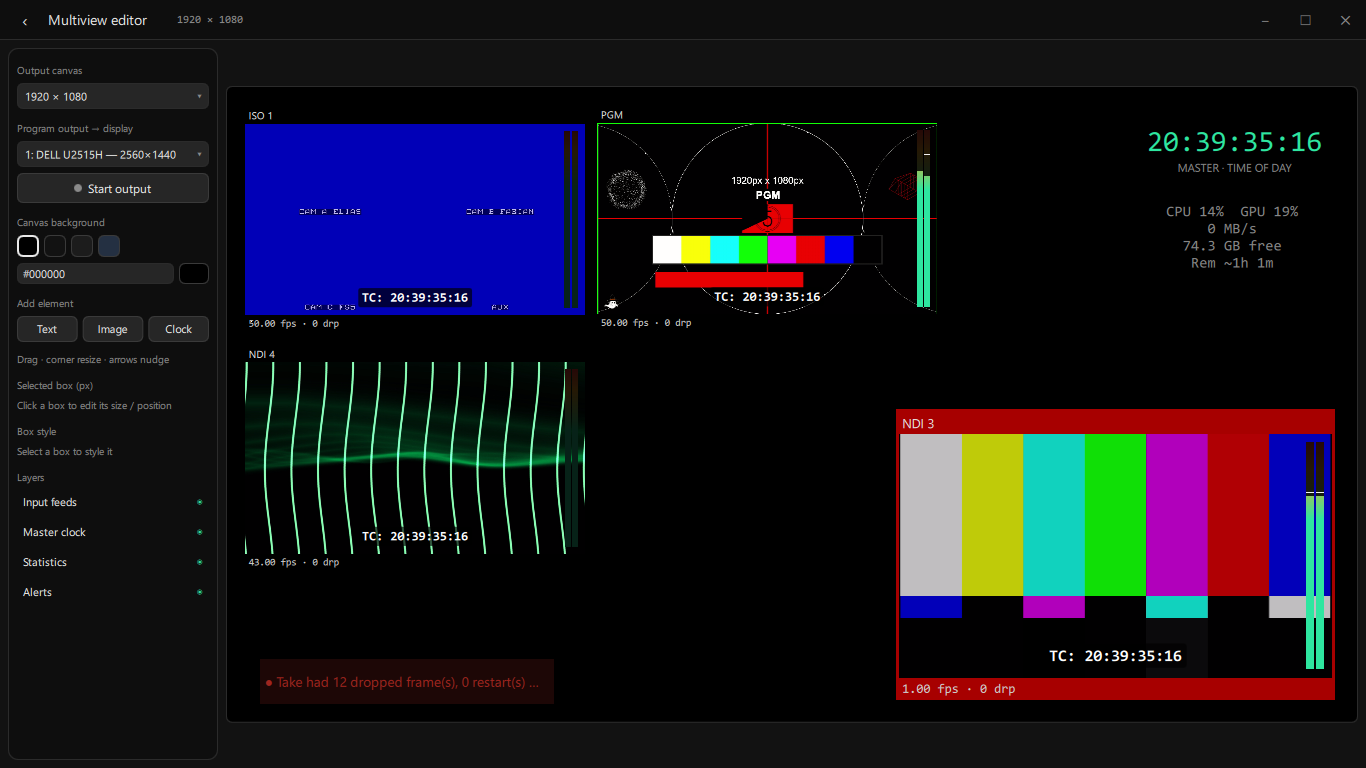
Lay out feeds, clocks and overlays, then send a full-screen multiview to a second display.
Know before you roll
Per-channel audio meters, a pre-flight go/no-go check before you arm, and a report after every recording telling you exactly what happened.
Inside the app
One screen, full control
Operator screen. Sources on the left, a live preview grid in the middle, codecs and audio meters per input, master timecode and system stats.Recording. A lot happens the moment you press record. Each input gets its own encoder, a watchdog catches crashes and stalls, and frames are written so the file survives a power cut. Anything that slips is logged, not hidden.Multiview. It's more than a video wall: every feed shows its record status, dropped frames and audio meters, alongside clocks, system stats and alerts you lay out yourself. Style each box, then send it full-screen to a second display so the team can catch a problem the moment it shows.
Web remote
Rack it away, run it from the gallery
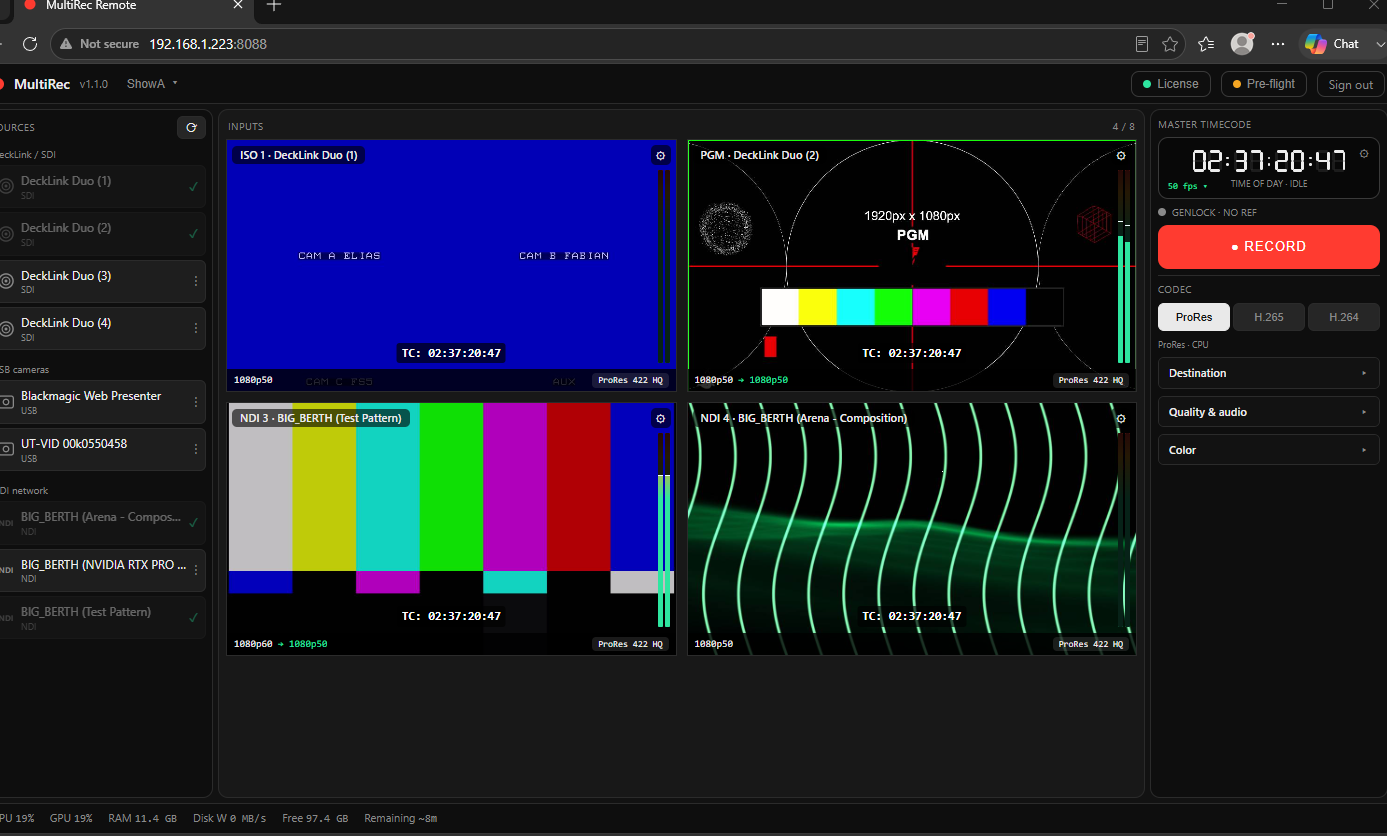
MultiRec often runs headless on a server deep in a rack. The web remote puts the full operator screen on any workstation on your production network — no KVM switch, no need to physically reach the machine.
Ideal for headless, rack-mounted recorders
Operate from the gallery, OB truck or FOH
Live meters, preview, timecode and full control
Password-protected, stays on your production LAN
System requirements
What you need to run it
ProRes encodes on the CPU, so simultaneous ProRes feeds scale with core count. H.264/H.265 encode on the GPU via NVENC, freeing the CPU. Here's what each reference build comfortably handles.
All capacities below are for 1080p50. 4K/UHD is much heavier. Size up a tier, or run fewer simultaneous feeds.
24–32-core CPU · 128 GB RAM · RTX PRO (“Quadro”) · NVMe RAID
✓
✓
✓
✓
✓
✓ comfortable · ~ at the limit (close other apps) · – not recommended
GeForce vs RTX PRO: H.264/H.265 use the GPU's NVENC encoder. Recent GeForce drivers allow up to 8 concurrent NVENC sessions (older cards fewer); RTX PRO / “Quadro” cards have no session limit, so they're the safe choice for guaranteed 8× NVENC. Encode quality is identical between them.
ProRes is CPU-only: there is no usable GPU ProRes encoder. Roughly 5–6 simultaneous 1080p50 ProRes feeds fit on a 12-core CPU; for more, lower the feed count or move some inputs to NVENC.
Storage: record to a drive fast enough for the combined bitrate of all inputs. A dedicated internal NVMe (or array) is ideal. Portable USB SSDs (e.g. Samsung T7) can work for lighter loads; use the built-in pre-flight write-speed test to confirm any drive before you roll.
Pricing
Rent it, or own it.
Rent the full 8-input Octo from €39/week and move it between machines as you go — ideal for events and short jobs. Or buy a perpetual license for permanent installs and broadcast facilities: pay once, runs forever, fully offline.
● Founding offer — 70% off · limited early-adopter pricing